

If you work in marketing or e-commerce, you may have already noticed that the traditional client-side approach to tracking is performing notably worse. Safari and Firefox are implementing Intelligent Tracking Prevention, with other browsers lagging not too far behind. Having an ad blocker installed in their browser is almost a default for the majority of people. Privacy policies keep turning to the client more and more every year, by imposing stricter limitations on companies. All these facts create a not too healthy and stimulating environment for old methods.
All these changes send us a clear signal: it is time to switch to server-side tracking. This method allows you to preprocess data on a cloud server: hide personal information and fill the information gaps caused by ad blockers and ITPs. If you work with WordPress and want to improve your tracking results, we invite you to read about the 4 best server-side solutions for this CMS.
1. GTM server-side plugin from Stape
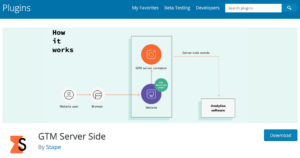
Google Tag Manager has been a go-to solution for client-side tracking on WordPress, and its server version is the expected and obvious stage in its evolution. Server GTM extends the functionality of its older sibling. It not only manages tags but also acts as a central hub for all tracked data.
To start using the server GTM for WordPress tracking, you will need some help, and that is when the GTM server-side plugin comes in handy. If you have close to 0 coding knowledge or simply do not have time to wait for the script to get added to your website at the end of the next sprint, this solution is for you. The plugin from Stape will automatically gather all the required data from your WordPress site and forward it to the server GTM container.
Pros:
- Seamless integration with the Google ecosystem.
- Flexibility and customization.
- Better control over data gathered in one spot.
Cons:
- Still need some technical expertise to configure the server GTM container.
2. Use an API for WordPress Sites
Different analytical platforms offer their APIs to simplify and improve the process of data tracking. APIs ensure that more accurate and specific data is delivered to analytics, and as a result, you get deeper insights about how your WordPress business performs.
To use Facebook Conversions API, TikTok Events API, or any other API title, you will need to have a cloud server first. Tracking APIs are integral to the idea of server-side tracking. If you already have a server, there are often two ways to set it up. You can either use a GTM container to host an API (a more complicated but flexible method) or use a Gateway, if the corresponding platform provides it. Gateways are similar to plugins we are going to discuss later. They provide you with the fixed basis configurations, but can hardly help if you need something more advanced.
Pros:
- Provide you with accurate customer information.
- Has configuration options (via server GTM or Gateway).
Cons:
- Server GTM configuration is complex but more flexible: you can install several APIs in one container.
- Gateway configuration is simple, but every API has to be installed separately.
3. Use pre-built templates
If you use the WooCommerce plugin to run your store on WordPress, we have great news for you! When you install the Stape’s GTM server-side plugin, you also open a way to use the container templates for GA4, Google Ads, and Meta.
After installing the GTM server-side plugin, your next step would be to download the templates and import them to your GTM container. When done, payloads, triggers, and events are configured automatically, and your main task is to add the API keys, IDs, and destinations (the amount of work you need to do is roughly halved). In case you need to customize your tracking setup, you can add and modify whatever you need, as templates do not oblige you to stick only to the configurations they provide.
Pros:
- Straightforward implementation.
- Requires fewer efforts to set up events included in the templates.
Cons:
- Still have to make a plan for what you would like to customize in the existing template.
4. A self-hosted solution
Let us warn you in advance, this solution is more suitable for successful businesses that can afford big budgets for data analytics and prioritize full ownership of the tracked data over anything else. A self-hosted analytics platform stores all the data in your environment only, never sharing it with third parties. By your environment, we mean your server.
Such an approach gives you complete control over all the information about your clients. It is an excellent choice for companies that prefer not to risk messing with the privacy policies, as there is simply no room for breaking them. On the other hand, this option requires more technical skill to manage the server and the software. Most probably, you will need to hire a specific person or even a team for this. The take-off, however, can hardly be overestimated: safety and total control.
Pros:
- Ownership of all tracked data.
- No interaction with third-party platforms.
Cons:
- High cost.
- Requires technical proficiency for setting up and maintenance.
Conclusion
This Top 4 rating aims to give you the general idea of the best options you may have if you want to use a server-side tracking system with WordPress. Based on the pros and cons we provide, you should be able to choose what method fits your case more, and the potential issues you may face when using it. Consider your budget, size of your business, types of events you need to track, and your team’s technical expertise; these factors will help you to make the right choice.
Also Read:
Scaling WordPress for Enterprise Traffic: Patterns & Challenges