Are you juggling multiple projects at a time? Missing deadlines, lacking team collaboration? This is where most people get stuck. Having a project idea and taking the final step isn’t easy, since each stage brings its own challenges.
Fortunately, dozens of project management software options are available that let you plan your project, collaborate, and stay on top of your work. We’ve saved you hours of research and listed the 5 best project management software options for 2026. All the tools are definitely worth it and great to work with. So, without any further ado, let’s get started.
What is Project Management Software?
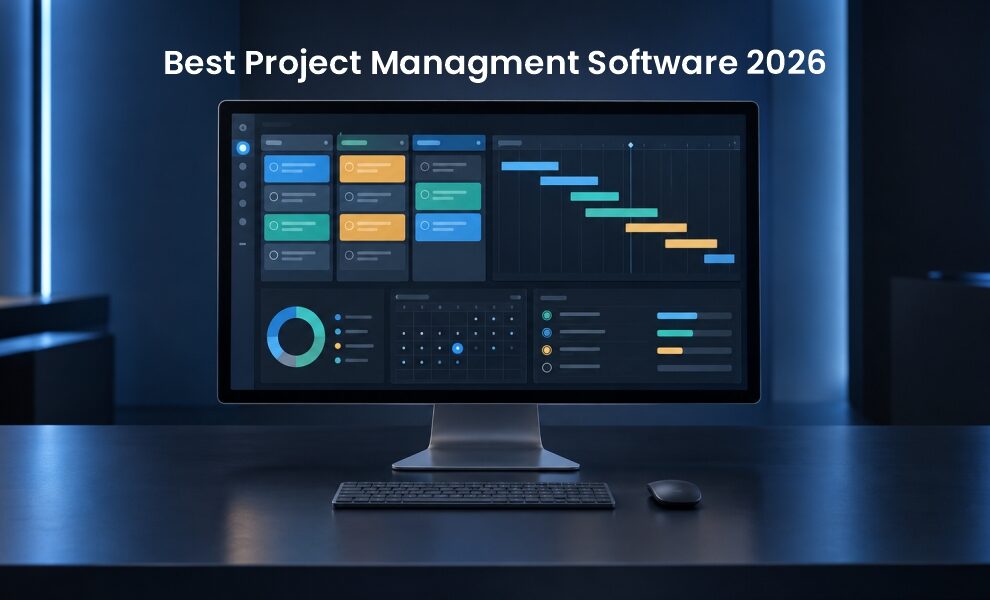
Project management software is basically a digital tool that lets teams plan, organize, assign, and track work to complete projects efficiently. It keeps schedules, tasks, communication, deadlines, and resources in one place for better visibility and more structured workflows.
PM tools clearly show each project’s lifecycle and each task’s status through simple visuals. Teams struggling with multi-step projects, deadlines, or more can benefit from project management software. These tools replace the manual hassle of tracking projects.
A good project management tool should answer the following questions:
- What is the status of active projects currently?
- Which team member is working on what task?
- Is there a risk to the budget?
- Will the project meet the given deadline?
What to Look for in Project Management Software? Top Features
- Built-in tracking: The right tool should monitor a team’s productivity, resource usage, and more.
- Integrations: Connects with productivity tools, email, and file sharing systems.
- Scheduling dependencies: A reliable tool should show not only deadlines but also how each task connects to the project timeline.
- Resource management: Allocate people, tools, and budget efficiently.
- Gantt charts and timelines: To make it easy to understand, the project management software should have visually appealing charts.
What are the 5 Best Project Management Software in 2026?
Here’s our review and analysis of the best project management software.
1] Monday.com
Monday.com is a popular AI-powered project management platform. It helps you plan your project smartly, work toward your timelines, assign people to get the work done, and set milestones. Teams can also customize workflows to fit their needs. Monday AI work platform supports hundreds of integrations through its marketplace. Its color-coded, grid-style boards make it easy to distinguish project status and tasks across categories. If you are looking for visually appealing software and are getting started for the first time, this is definitely worth a try.
What are Its Standout Features?
- AI-generated project plans.
- The Portfolio Risk Insight tool flags project risks and delays.
- Automated project reporting lets you generate and send status reports.
- Comes with 850+ integrations with the tools you use every day.
- Monday vibe, Monday sidekick, Monday agents, and Monday workflows.
Monday.com Pricing?
- $0 – free forever (up to 2 seats)
- Basic -$9 seat/month Total $90/month, billed annually
- Standard – $12 seat/month Total $120/month, billed annually
- Pro – $19 seat/month. Total $190/month, billed annually
- Enterprise – custom price
What is Monday.com Best for: Teams looking for the best AI-powered project management software that can be shipped easily without more manual effort.
2] Jira
Jira is Atlassian’s project management platform for planning work, tracking progress, and collaborating in one place. Whether you’re in software, design, marketing, or IT, Jira offers flexible, powerful project management for every team. Want to track your team’s progress, priorities, or workload, Jira does it all.
This platform helps you keep projects on track and celebrate big wins. Another key point in software development: Jira supports sprints, release cycles, and backlogs, giving you full control at every stage of development. No more switching, Jira has got you covered with 3500+ extensions and integrations.
What are Its Standout Features?
- Plan and automatically assign work with Rovo AI.
- Pre-built and customizable templates available for any type of project.
- Track progress from your favorite tools like Slack, Gmail, and Figma.
- Let you effectively manage dependencies across teams
- Global and project level configuration.
Jira Pricing
- Free – forever for 10 users
- Standard – $7.91 per user/month
- Premium – $14.54 per user/month
- Enterprise – Billed annually, contact sales.
What is Jira Best for: Software development teams, Agile/Scrum teams, and organizations that manage complex projects, tasks, and issue tracking.
3] ClickUp
ClickUp is an all-in-one work and knowledge management platform. It brings teams together with connected workflows, real-time dashboards, documentation, and goal tracking to enable smarter, faster work. If you need a single tool that can do everything, ClickUp is hard to ignore.
ClickUp offers a range of template libraries and shines at detailed, customizable task management. So, for budget-conscious teams looking for free project management software, this platform is a go-to. Another strength is ClickUp’s hierarchy, which offers more control for organizing teams from small to large.
What are Its Standout Features?
- Deep customization options available.
- Organizes tasks, projects, teams, and company goals in one place.
- Lets you message teammates and Super Agents inside docs, tasks, and projects.
- Comes with thousands of templates for every team size and use case.
- AI writing assistance and task summarization built into the platform.
ClickUp Pricing
- Free forever
- Unlimited – $7 per user/month, billed yearly
- Business $12 per user/month, billed yearly
- Enterprise – contact sales
What is ClickUp Best for: Teams looking for an all-in-one project management platform for task management, collaboration, automation, customization, and overall productivity.
4] Asana
Asana is the best project management software, designed to help your team get things done easily. The platform includes pre-built AI agents that work with your team in real-world workflows. Asana offers so many noteworthy features that no team can skip.
Planning to launch a project? Asana can turn the project’s goals into steps, so you never miss a deadline. It can also optimize the team’s workflow, review projects to ensure they comply with standards, and generate status reports so leaders stay informed and can plan accordingly. There’s so much to talk about Asana, but we’ve covered all the important aspects here.
What are Its Standout Features?
- Asana AI teammates you can add to your workflows.
- Asana AI Dash, a personal AI assistant for higher productivity.
- Get project status updates in minutes
- Track timing so you can allocate the time you need
- With inbox, get automated updates that matters the most
- Real-time charts and insights with reporting dashboards.
ClickUp Pricing
- Personal – US $0
- Starter – US $10.99 per user, per month, billed annually
- Advanced – US $24.99 per user, per month, billed annually
- Enterprise – contact sales for pricing
What is ClickUp Best for: Asana works best for SMBs that require a feature-rich, structured, and user-friendly platform for task and project management.
5] Trello
Looking to boost your team’s productivity? Well, Trello can help. It uses the popular Kanban board system, so teams can start using it quickly without training. Heard the names across leaders, individuals, and teams alike. Trello lets your team capture, organize and tackle the hectic project work from literally anywhere. It comes with three important aspects, Inbox, Boards, and Planner that keeps your project game always on the top.
What are Its Standout Features
- Connect Trello with your favorite apps like Slack, Miro, Jira Cloud, and more.
- Trello inbox captures and lets you save information from the chaos of email, messages, and notes.
- Try the tried-and-true templates from the Trello community. Copy, customize, and collaborate in no time.
- Kanban boards with cards and lists.
- Easy to use interface.
Trello Pricing
- $0 USD
- Standard – $5 USD per user/month if billed annually
- Premium $10 USD per user/month if billed annually
- Enterprise $17.50 per user/month if billed annually
What is Trello Best for: Small teams, simple project tracking, freelancers, and teams that need a quick start.
In the End! Choosing a Tool that Best Fits Your Goals
And that’s it! So, here we come to the end of the best project management software. Let’s be honest, there’s no clear winner. The right tool depends on your business requirements, project needs, reviews, and overall objectives. And of course, it aims to simplify things and move you toward project success.
Smaller teams, for example, can need basic level features. Larger teams, by contrast, need workflow flexibility, cross-functional collaboration, security features, and more. Choosing the project planning tool is a big decision. We hope the tools mentioned above help you achieve higher ROI.
Read more trending blog posts on our website.
FAQs
1] How can I connect project management software with my other tools?
Answer: Most project management software connects with popular apps such as Microsoft Teams, Google Drive, and Slack through built-in integrations or third-party connectors like Zapier. This also helps automate workflows and lets teams work together.
2] Are there any mistakes one should avoid when choosing project management software?
Answer: Don’t choose a tool just because it is popular and has the most reviews. You need to closely evaluate features, integrations, and security before choosing the best project management software.
Related Reads:
Top Competitive Intelligence Software and Tools to Track Your Market
Top 12 Data Deduplication Software
Advantages & Disadvantages of Open Source Software
Open-Source Software Examples List by Category for 2026