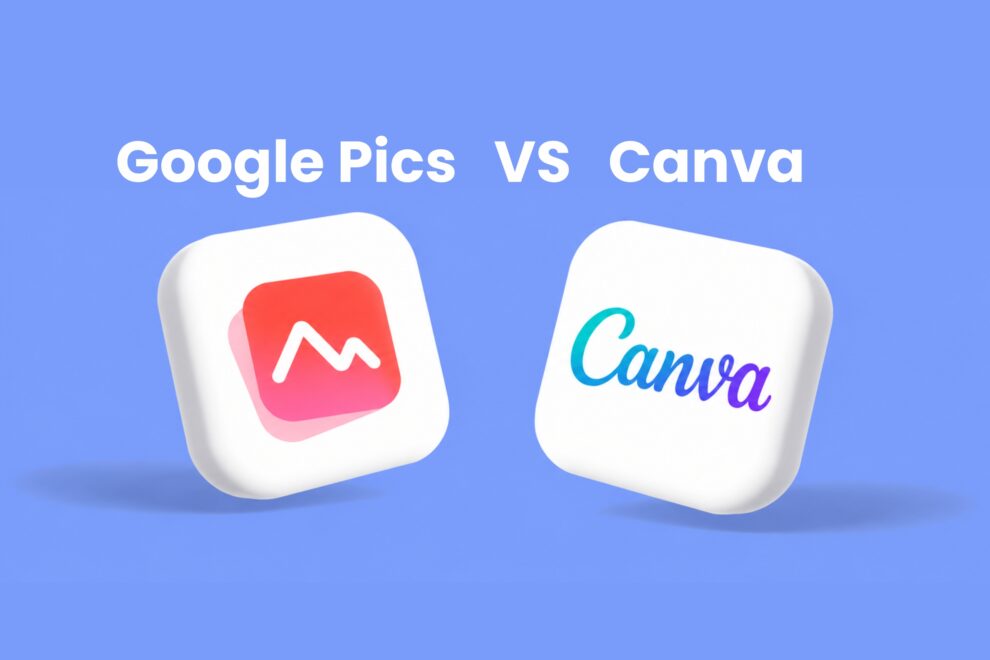
Artificial intelligence has endless potential for unlocking the power of creativity. From writing documents and content to creating images and videos, AI has made the entire process of digital content creation effortless and straightforward. Recently, Google Pics vs Canva has become one of the most talked about comparisons. Google Pics, announced on September 1, 2026, is an AI image creation and editing tool by Google. It is rolling out gradually to AI subscribers and Workspace business customers.
On the other hand, Canva is one of the most popular choices for designers and marketers, offering a complete design suite. It excels at creating images, slides, videos, and more from scratch and using templates.
But did you know the new Google Pics could challenge the super-powerful Canva? Find out in this blog as we break down the differences between Google Pics and Canva, including their features, pricing, and which one you should choose. Let’s get started.
Why is Google Pics vs Canva in the Buzz?
With the emergence of AI, image creation has become easier. With multiple AI image-creation tools available, users are using them to save time. AI can create not just images, but also presentations, marketing collateral, and sales decks. Considering the growing demand, there’s currently a buzzing topic in the design and AI industry, i.e., Google Pics vs Canva. Google Pics is a newly launched AI image generation tool announced by Google.
However, Canva, a popular design platform used by millions of users worldwide, now has a strong competitor ahead. This growing rivalry has left everyone in the industry curious about how Google Pics compares with Canva and which platform works best.
What is Google Pics? Google’s New AI Image Generation Tool?
Google Pics is a newly launched AI image creation and editing tool built into Google Workspace. It follows Google’s Nano Banana image generation and editing model. Your imagination is just the limit with Pics. You can create any image that matches your preferences, be it designing a social media post, a poster, a sales deck, or editing digital illustrations. It was first announced at Google I/O 2026.
The tool comes with a set of editing capabilities and gives powerful control to move, transform, resize, edit, and translate text, or update a particular area of the image. Meaning, you have complete control over image creation and editing. There’s no more concern about switching tabs; Pics is integrated into Google Workspace apps, right from Docs, Slides, and Drive, so you can easily edit images where you are already working.
What are Some of the Core Google Pics Features?
- Object-level editing: Isolate an object and transform the targeted changes without rebuilding the entire image.
- Collaborate with others: Pics lets you collaborate seamlessly with colleagues and friends, so they can edit the image to suit their needs.
- Prompt-based image creation: Create several image options from a single prompt so that you can choose the best option.
- Workspace collaboration: Supports link sharing and collaborative editing capabilities with Pics files stored in Google Drive.
What Can You Create with Google Pics?
- Boundless AI images
- Social media posts
- Multiple image variations
- Presentation visuals
- Product mockups
Google Pics Pricing
Google Pics is not available in a free tier. Three personal AI subscriptions and four Google Workspace business tiers were announced at launch, for a total of seven.
| Plan | Family | Pricing |
| Google AI Pro for Education | Personal | 1,140.00* per user/month, one year commitment |
| Google AI Pro | Personal | $19.99/month |
| Google AI Ultra | Personal | $99.99/month |
| Business Standard | Workspace | $16.80 USD per user per month |
| Business Plus | Workspace | $26.40 USD per user per month |
| Enterprise Standard | Workspace | Custom based on users’ needs |
| Enterprise Plus | Workspace | Custom based on users’ needs |
What is Canva? The All-in-One Design Platform
Canva is one of the most popular one-stop design platforms used by millions of users worldwide. It is a versatile design tool ideal for students, working professionals, content creators, or anyone looking to create images, reels, presentations, and more in one place. Canva offers an easy-to-use drag-and-drop editor with thousands of ready-made, customizable templates that let anyone create professional content with ease.
Canva is an all-in-one visual suite. The design platform has introduced AI-powered features such as Magic Design, Magic Media, Dream Lab, AI Image Generator, Magic Resize, AI Photo Editor, AI Art Editor, and more. Unlike Google Pics, Canva comes with a range of features and capabilities that make it ideal for creating designs.
What are Some of the Core Features of Canva?
- Image Creation: Design, create, and edit images from scratch or using pre-designed templates.
- PDF Editor: Edit and convert a PDF into online designs.
- AI Image Generator: Generate images using text-based prompts.
- Free Stock Videos: Get access to free stock videos.
What Can You Create with Canva?
- Social media images
- Carousels
- Videos
- Website landing pages
- Image and video editing
- Presentations
- Infographics
- Newsletters
Canva Pricing
Canva offers a free tier for basic usage as well as a paid tier, as shown below:
| Plan | Pricing |
| Free | $0 per month |
| Pro | $18 per month or $144 per year |
| Enterprise | Available as per custom pricing |
| Business | $25 per user per month or $250 per user per month |
What’s the Actual Difference Between Google Pics and Canva?
Google Pics challenges Canva in a whole different way. Google Pics is designed to integrate into productivity workflows like Docs, Slides, and Drive.
Canva is a creative design workspace. The point is that creators and marketing teams can choose either. Teams may prefer Google Pics for internal image design right inside their productivity tools, rather than switching apps, while continuing to use Canva for designing images on the go. Alongside, when it comes to Canva vs Google Pics pricing, they both have a different approach. Canva offers a free tier plan for users, making it accessible to anyone. However, Google Pics doesn’t have a free tier option.
Google Pics vs Canva: A Clear and Quick Comparison
Below are the key differences between Google Pics and Canva.
| Parameter | Google Pics | Canva | The Winner |
| Ease of Use | Google Pics comes with a simple workflow and interface. Enter a prompt, wait for seconds, and get an AI-generated image. |
Canva comes with a drag-and-drop interface. It gives users complete access to the environment. |
Depends on your goal |
| Templates and Ready-Made Designs |
Google Pics does not come with templates |
Hundreds of templates are available around social media posts, marketing materials, videos, |
Canva |
| AI Capabilities | Pics is built around AI image generation. It understands the text prompt and produce visuals as per your requirements. |
Canva comes with a range of AI-powered features like Magic Design, Magic Write, AI Image Generator, and more |
Depends on your goal |
| Collaboration and work | Google Pics is focused more on creating visuals and also integration across Docs, Slides, and Drive for easy collaboration. |
Canva is majorly focused on team collaboration. Teams can create, modify, share comments, and work on projects together. |
Canva |
| Best Suited for | Creating, editing, and transforming images |
Creating different forms of visual content |
Depends on your goal |
The Competitive Impact on Canva
Google Pics isn’t here to replace Canva; however, it adds serious competition. Canva comes with a range of pre-designed templates, brand kits, and more. However, Google has something powerful: Google Workspace integration. Google says users interact with billions of images across Workspace products every month. Even if some users start creating images using Pics, Google could become a major competitor in the design landscape.
Who is Google Pics Best for?
Google Pics is an ideal choice if:
- Need AI-generated images in seconds.
- Prefer prompt-based image creation.
- Translate or modify text directly inside the images
- Need to create sales decks or educational slides
Who Is Canva Best for?
- Marketers, content creators, and professionals can use Canva for:
- Need collaboration between teams.
- Design content for social media regularly.
- Create videos and other business-related documents.
- Need quick templates
Summing It Up on Google Pics vs Canva!
Here we come to the end of Google Pics vs Canva. It’s clear that after a clear comparison of every factor, there’s no single winner. It’s all about choosing the right tool for your goals. If you need to create AI-powered images with less effort and spend less time designing, Google Pics is an ideal, straightforward choice.
On the other hand, Canva is a preferred choice for anyone looking to create high-quality images, carousels, videos, and more with a massive template library, AI-powered features, and collaboration capabilities. Ultimately, the best AI design tool for 2026 depends on your workflow.
Read more informative blog posts on our website.
Frequently Asked Questions
Q1. Can Google Pics create images using text prompts?
Answer: Yes. Google Pics AI image generator lets users describe the visual they need using natural-language prompts and generate or modify images.
Q2. Which is easier to use: Google Pics or Canva?
Answer: Both Google Pics and Canva are easy for non-designers to access. Google Pics relies on natural-language prompts, whereas Canva uses a drag-and-drop interface and templates. Your choice may depend on whether you prefer prompting AI or designing a layout.
Q3. Can I collaborate on Pics?
Answer: Pics comes with similar functionality to other Google Workspace products. After you generate images, you can share the link with your colleagues or friends, and they can make the necessary changes.
Recommended For You:
Google Releases Nano Banana 2: A Lightning-Fast Image Generation and Editing Model
Everything You Need to Know About Google AI Mode; How to Use it and Best Features