

The wait is finally over!
WordPress 6.9 is live on 2nd December 2025, and we can’t wait to share all the fantastic features and functionalities the new release comes with! The year is ending with great bangs for your website! What is all there?
Edit smoothly, publish fast, smarter design controls, better collaboration, and so much more for the ultimate success of your website. Website owners, WordPress fanatics, bloggers, and all the techies, be ready, upgrade to the latest WordPress version 6.9, and let things get rolling, and watch the magic happen for your site!
This blog is curated for you! Let’s run down and check out what’s new in WordPress 6.9!
Curious already? No more…
Welcome to WordPress 6.9
WordPress 6.9 is the newest version after WordPress 6.8, released in April 2025. The latest versions aim to offer the best WordPress experience to all users around. As mentioned above, users get new blocks, simplified editing, and most importantly, focus on how teams can collaborate and create.
Alongside, there’s good news for developers who can unlock advanced integration possibilities with the new and enhanced API set.
The development cycle of WordPress 6.9:
- Alpha stage: March 2025
- Public Beta: October 2025
- Release Candidate(s): November 2025
- Final release: December 2, 2025
The All New-Upgrades in WordPress 6.9
Let’s run down through the new upgrades seen in WordPress 6.9, in terms of block editors, performance, and more!
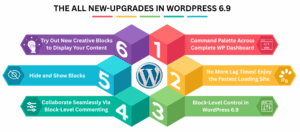
Command Palette Across Complete WordPress Dashboard
The command palette has just gone beyond the editor. You can now use it across the complete WordPress dashboard, making navigation faster and easier.
There’s a simple key shortcut you can use: Ctrl/Cmd + K on admin screens such as Posts, Media, Pages, Settings, and more. This way, you can open the search/command bar and run the actions you want. More commands are expected to be added in the future.
No More Lag Times! Enjoy the Fastest Loading Site
We’re sure you’ll love WordPress 6.9. The main reason?
The new WordPress version brings several performance improvements, all thanks to the changes in the backend.
Some of them include:
- Improvements to RSS feed caching
- Optimized stylesheet by loading style blocks only for classic themes that need more CSS than required.
- TTFB is enhanced by shifting Cron execution from init to shut down.
- You can improve the script loading performance by adding support for fetch priority.
Block-Level Control in WordPress 6.9
In WordPress 6.9, there is a new Strong Block API and a dedicated interface to manage block visibility, both in the editor and on the frontend. This feature is ideal for hiding incomplete blocks from view.
Why This Feature Matters?
- Edit various sections of the pages without interfering with the live site.
- Easily integrates into the new Notes feature to enhance collaboration.
- Helps teams collaborate and finalize the sections only when they are done, and approval is granted.
Preview the result in:
- The editor
- The frontend
The new control makes it easy to create, collaborate, and publish content with confidence, as it is only displayed once wrapped up completely.
Collaborate Seamlessly Via Block-Level Commenting
It’s always good to cross-check the changes before they go live, and fortunately, in WordPress 6.9, there’s a new feature – block-level commenting that lets you collaborate and work on a piece of content together.
You can leave a note for other users. Be it any feedback, suggestion, or anything that’s on your mind. To add a comment, click on any section, image, or paragraph, and add the comment you wish to.
Alongside, there’s a track if the comment had been fixed! Everything is so perfect, right, in terms of content, editing, and everything around.
Hide and Show Blocks
The name says it all. You can switch blogs on and off to hide and show the blocks without deleting them entirely. This way, you have the flexibility to bring back the content you need anytime you want, or hide it whenever not required. To do so, go to the visibility toggle in the block toolbar.
Try Out the New Creative Blocks to Display Your Content
WordPress 6.9 has come up with six new core blocks that offer creative capabilities to display your content within WordPress. No need to install any additional plugins or tools. Following are the blocks mentioned:
- Accordion Block: Include collapsible content blocks in the form of FAQs and detailed content with no code or plugins.
- Term Query Block: View terms in categories and tags easily, with the ability to sort, style, and have links- as in a Query Loop.
- Time-to-Read Block: Shows the approximated reading time to establish the expectations of the reader and enhance their engagement.
- Block of Math: Allows you to write clean, professional mathematical formulas in LaTeX within the WordPress platform.
What’s in for Developers? The Abilities API?
One of the most future-oriented capabilities of WordPress 6.9 is the Abilities API, which is a unified system of exposing capabilities to a machine-readable format across all pieces of the ecosystem (plugins, themes, core, etc.).
It is available through PHP, REST APIs, and AI integrations, and it forms the basis of safe automation and smart content processes thus making WordPress future-proof against AI.
Why the New Update Matters?
- Collaborate Easily: Block commenting can help to keep feedback in one place, and teams can collaborate without installing any external tools.
- Great User Experience: Faster loading times improve the overall SEO, user experience of your website.
- Better Themes/Plugins: Themes and plugins developed using the current WordPress APIs are resistant to changes in the platform and are also future proof. This guarantees enhanced compatibility, reduced conflicts, and performance reliability.
End Note!
Here we come to an end! WordPress 6.9 is a fantastic upgrade for all the WordPress site users and of course developers too! Right from block editors, performance improves APIs, and there’s everything in one place for you!
Try out the new update now and see how it works on your site! Get the update done and leave the rest with WordPress!
Good luck on this journey and get ready to kick off amazing things!
Visit our blog section to stay in the know of all the recent updates in tech!
FAQs:
Q1. What is WordPress 6.9?
Answer: WordPress 6.9 is the latest version, released on December 2, 2025, marking the year’s final update. With new features, performance enhancements, and developer APIs, it represents a major upgrade for WordPress.
Q2. Is WordPress 6.9 suitable for beginners?
Answer: Yes, WordPress 6.9 is ideal for beginners, as it offers intuitive blocks, starter patterns, and easier layout controls that simplify content creation.
Recommended reading:
What’s the New Buzz in WordPress 6.8? Check It Out here!
Introducing WordPress 6.7 with New Features and Functionalities